🎯 BulletHawkHM – Precision Redefined
Train. Analyze. Excel.
BulletHawkHM is a passionate non-profit project dedicated to making professional shot analysis accessible to every shooter. Without the need for expensive hardware, our software transforms any environment into a digital shooting range.
"Make Your Range, a Shooting Range."
V2.1 available
💡 Our Concept: Open Spirit – Sustainable Growth
We believe in transparency and community. BulletHawkHM follows a fair deployment model:
-
Software Usage: 100% free-to-use. No subscriptions, no licensing fees.
-
Maintenance Fee: To cover infrastructure and server costs for the extensive installation packages (including Java Runtime), we charge a symbolic download fee of just €1.49. By paying this, you aren't buying the software—you are securing the future of this project.
- Updates: can be downloaded free of charge (if registered)
✅ Features at a Glance
1. Maximum Hardware Compatibility
BulletHawkHM is built for flexibility. Use your existing hardware for live evaluation:
-
Support for USB cameras, IP cams, and camcorders
- (Please note: The Mac version exclusively supports IP and WiFi cameras.)
-
Easy connection to a PC or laptop for use in basements, gardens, or at the range.
2. Intelligent Live Analysis
Receive instant feedback after every shot:
-
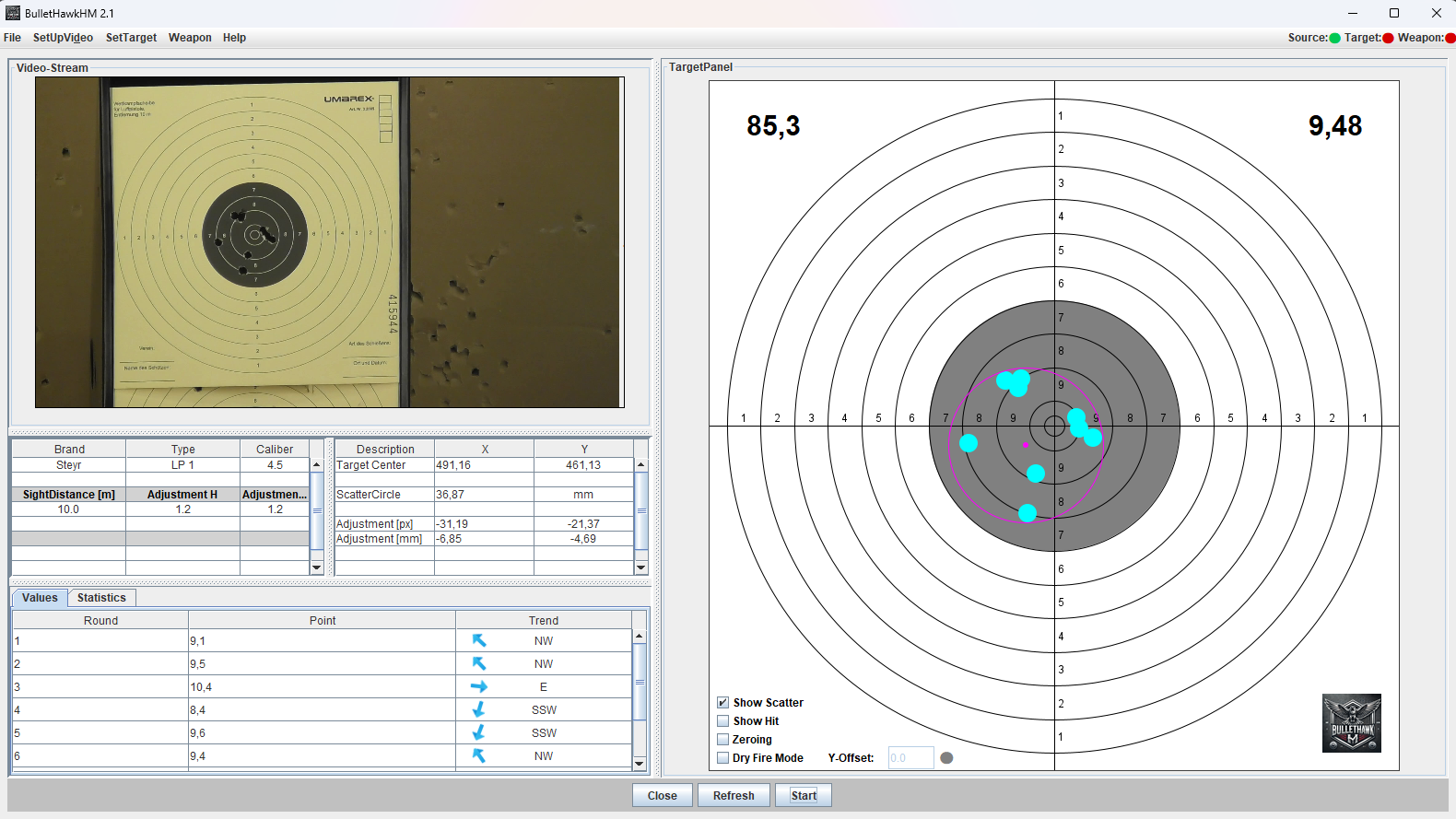
Real-Time Graphics: Hits are immediately visualized on the digital target.
-
Precision Data: Automatic calculation of points, shot groups (spread), and X/Y axis deviation from the center.
-
Error Correction: Erroneous hits (e.g., due to difficult lighting) can be removed with a simple left-click—your statistics will update instantly.
3. Individual Configuration
The system adapts to you, not the other way around:
-
Custom Targets: Choose and configure target faces according to your personal preferences and disciplines.
-
Versatility: Optimized for air pistol, air rifle, and large-caliber disciplines.
4. Specialized Pro Modes
-
Zeroing (Sighting-in): A guided mode for optimal sight adjustment, including specific click recommendations for elevation and windage.
-
DryFire Mode: Effective dry-practice training using standard laser units. Includes adjustable Y-offset to perfectly compensate for the gap between the laser beam and the ballistic trajectory.
5. Long-term Trends & Documentation
Make your progress measurable:
-
Digital Archiving: Save your results as PDF reports or print your shot patterns directly.
-
Trend Analysis: Track your performance over time to confirm technical improvements with hard data.
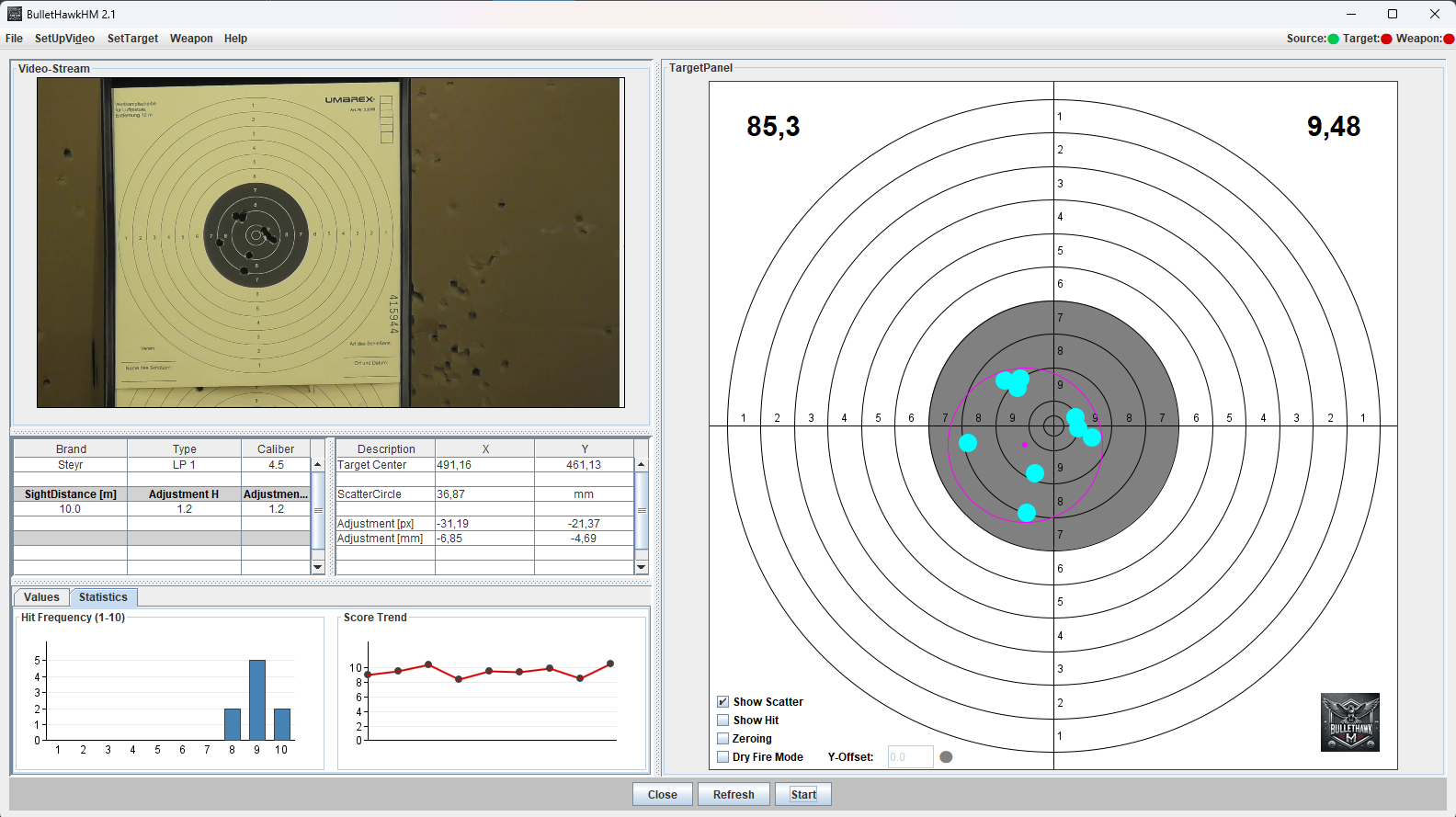
- Statistics: BulletHawkHM records the distribution of your hits by ring values in detail to precisely analyze your accuracy.
🛠 Technical Highlights
-
Automated Evaluation of ring and circular targets.
-
Status Feedback via visual indicators (traffic light system).
-
Low System Requirements with maximum detection precision.
BulletHawkHM – Professional Training. Simplified.
💻 System Requirements
| Component | Recommendation |
| Operating System | Windows 10 / 11, MacOS 15 |
| Hardware | Quad Core i5 (2 GHz), 8 GB RAM |
| Equipment | USB camera, webcam, or camcorder (via HDMI grabber), WIFI |
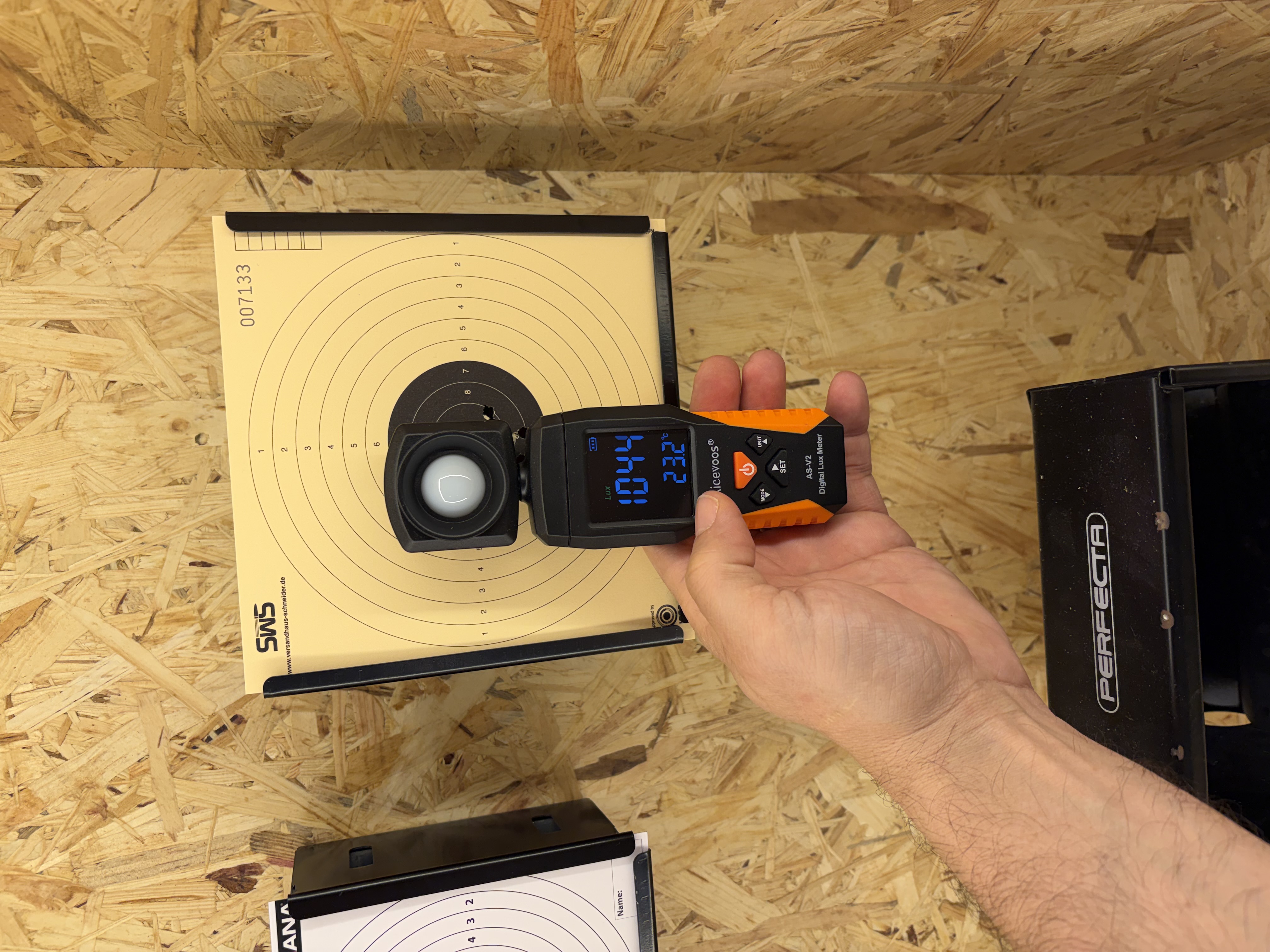
| Lighting | Good target illumination (approx. 1100 - 1300 Lux recommended) |
📥 Download & Copyright
Note: Copyright is held by the owner of this website. The software is provided for purely private, non-commercial use. Any commercial use, including the sale or use for commercial purposes, is strictly prohibited.
Videos:
| Nr. | Link | Detail |
| 1 | BulletHawkHM on youtube | introduction of BulletHawkHM |
| 2 | BulletHawkHM Windows Java | BulletHawkHM for Windows Java |
| 3 | Dry Fire Mode introduction | Dry Fire Mode introduction |
| 4 | Shooting your Legends Cowboy Rifle in the Backyard | Std. functionality of BulletHawkHM |
| 5 | Print Reports | how to Print your Results |
| 6 | Connecting WIFI/IP Cam | how to connect a WIFI or IP Cam |
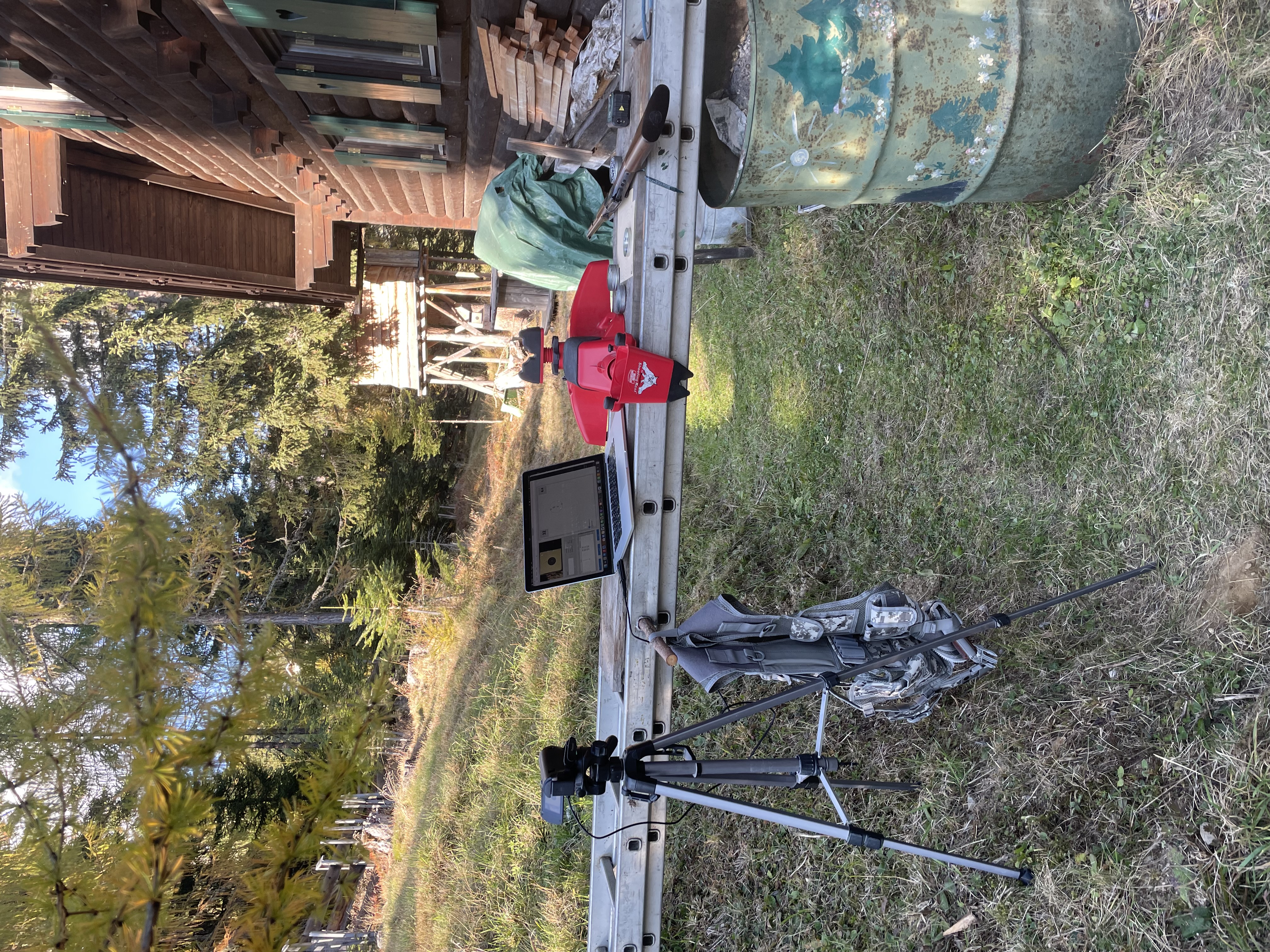
Shooting range: 10 Meter
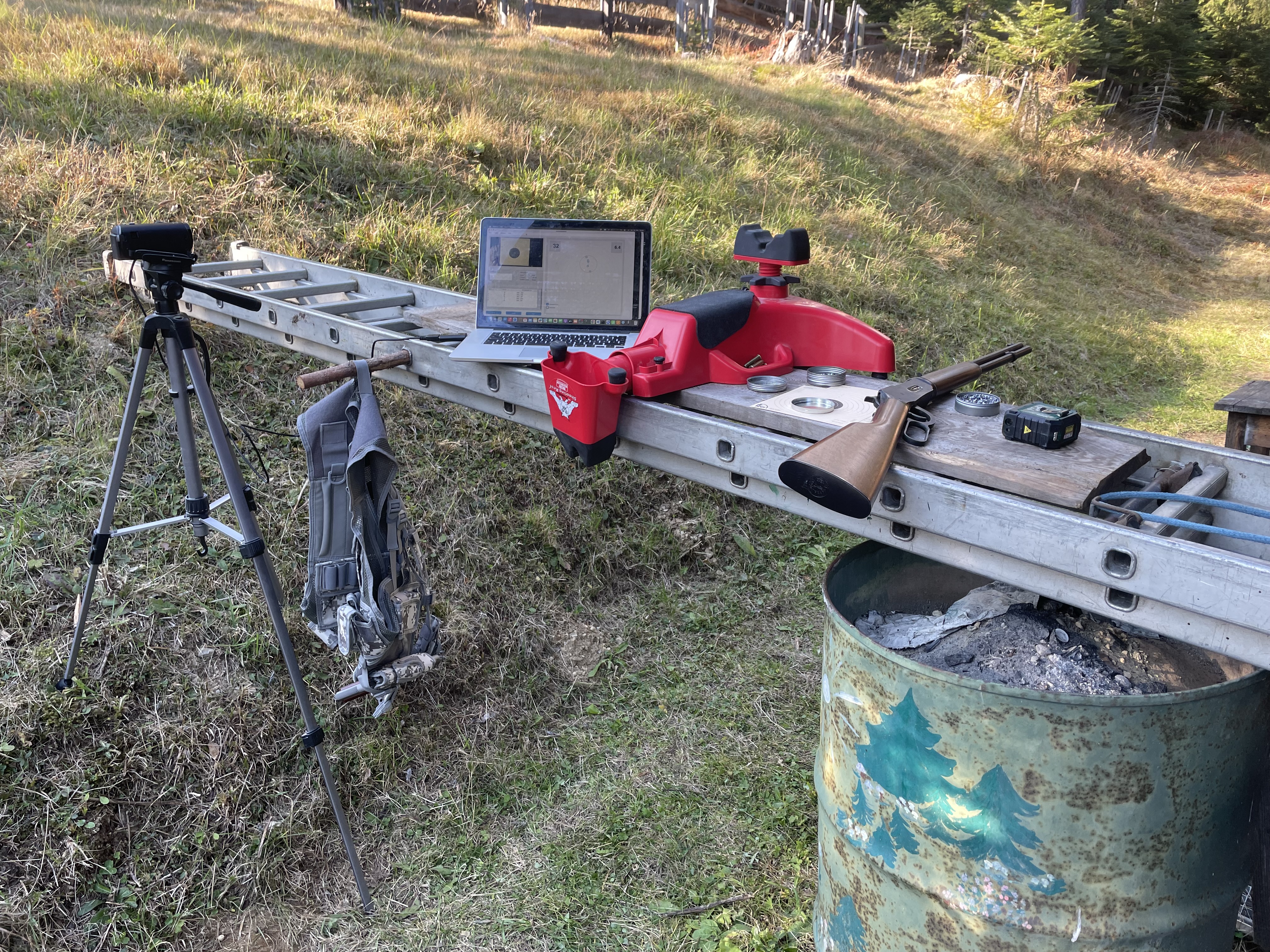
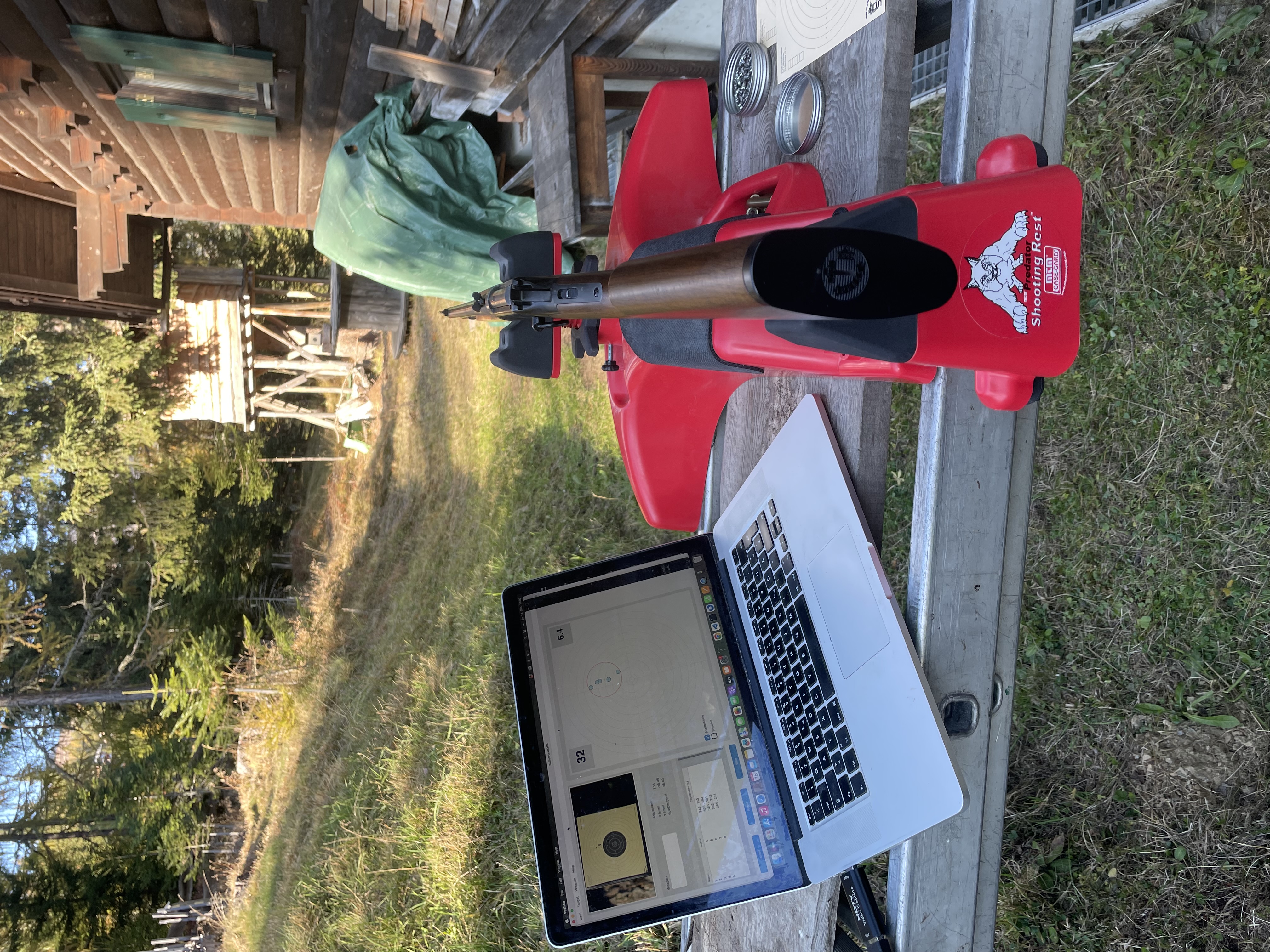
Equipment:
- Umarex Legend Cowboy Rifle
- Panasonic Camcorder
- Notebook
- Software: BulletHawkHM
- Ammo:
- 4,5 Diabolo
- 4,5 Steel BB
- Shooting Rest
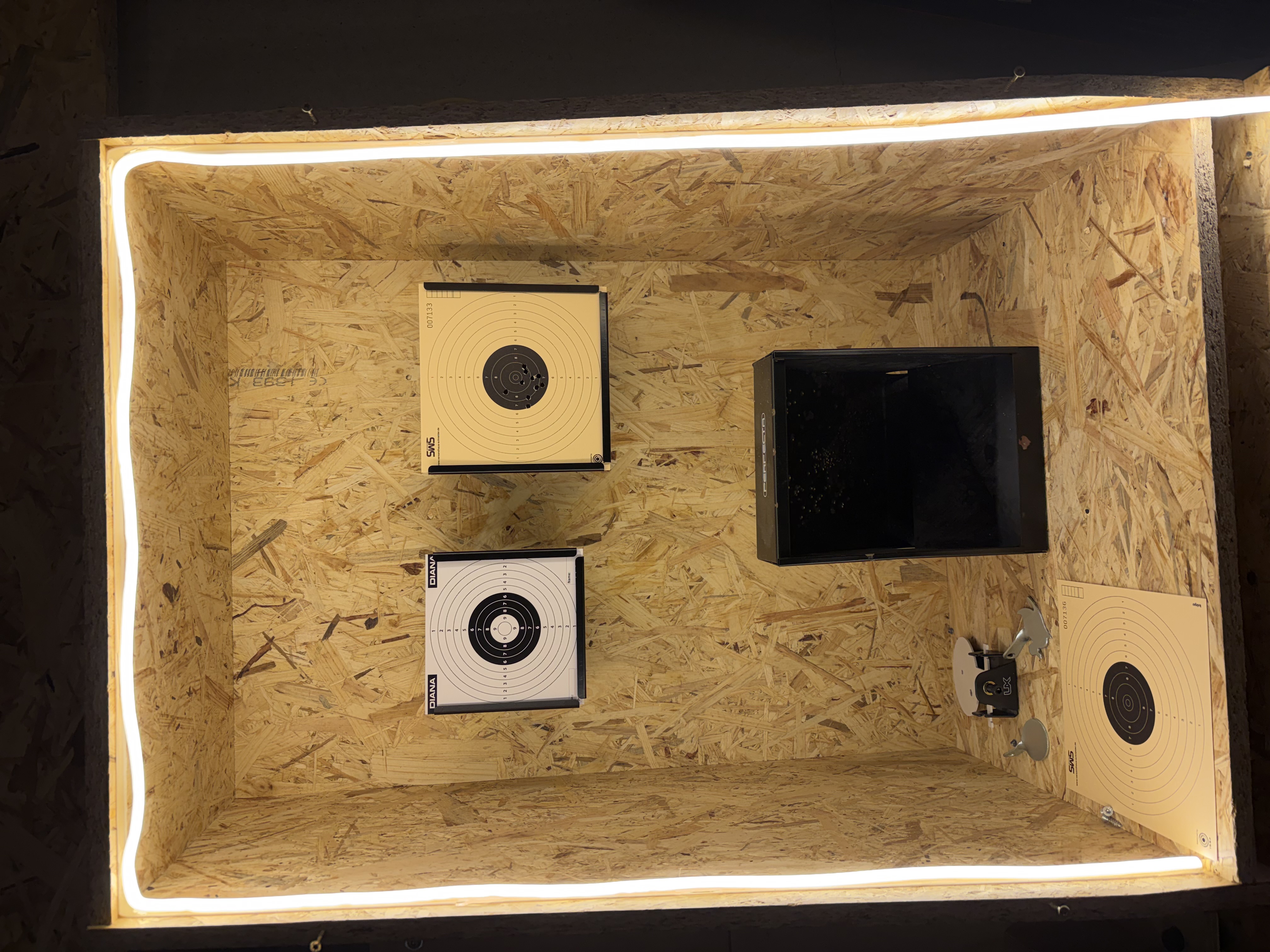
DIY Home Airgun Range (10 Meter)
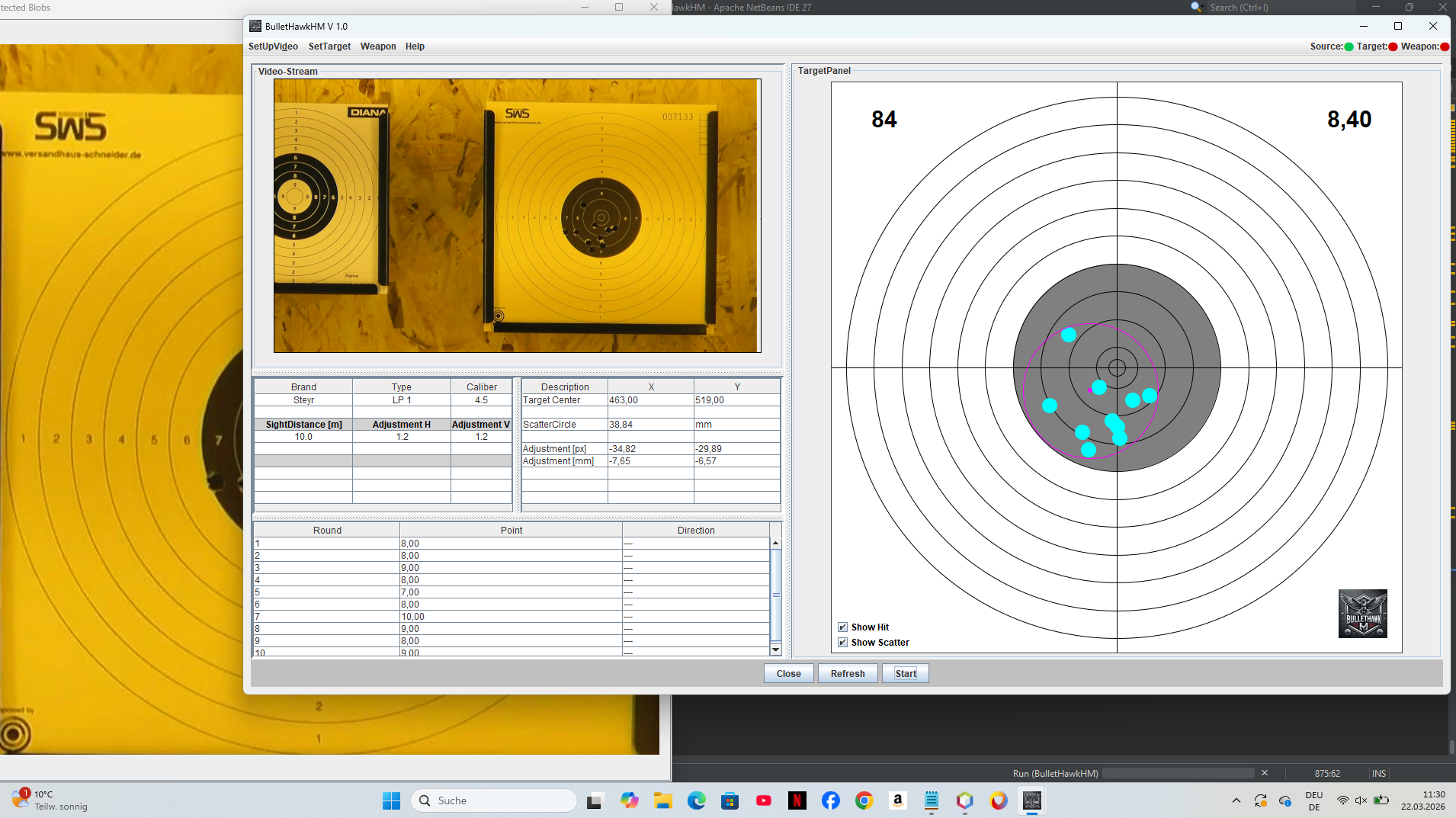
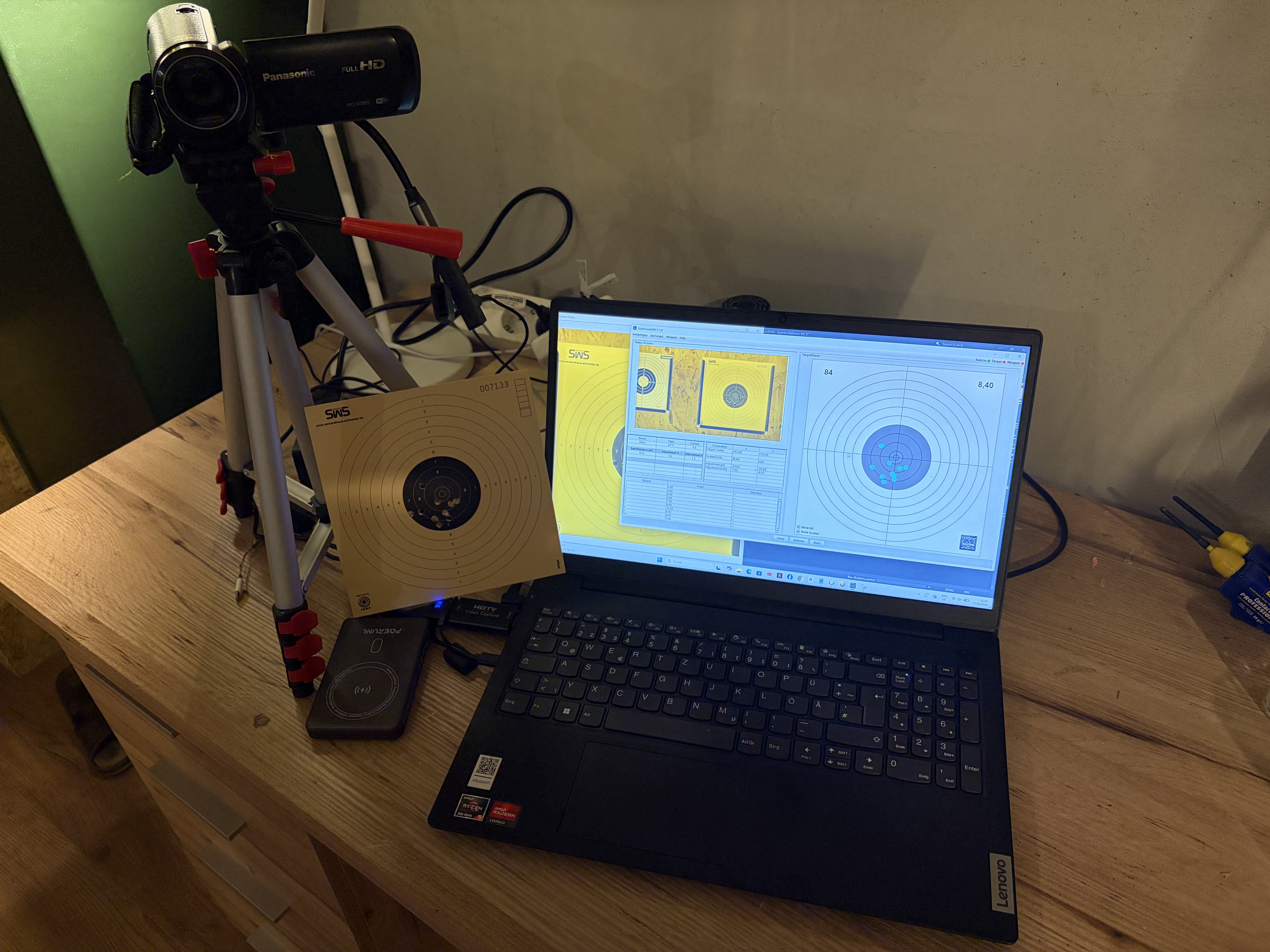
1.) Visualization on Screen
2.) catch box
3.) complete equipment
- PC
- Camcorder
- Stativ
- HDMI Videoconverter
- Wireless HDMI Transmitter/Receiver (could also be a cable, but much more fleible with wireless)
- Powerbank to power Transmitters.
Caution:
Important point is the lighting, measured 1044 LUX at 23,2°.
Shooting your Legends Cowboy Rifle in the Backyard
Equipment:
- Umarex Legend Cowboy Rifle
- Panasonic Camcorder
- Notebook
- Software: BulletHawkHM
- Ammo:
- 4,5 Diabolo
- Distance: 10.4 Meter
 Deutsch (Österreich)
  English (United Kingdom)